
Joomla com_media Exploit, Protect /images/ Folder Right Now!

Web administrators who run Joomla sites still encounter residual risks tied to the media manager component. While modern versions have closed many historical gaps, the /images/ directory remains a frequent target for unauthorized file placement. Understanding the broader security evolution of com_media, recognizing common indicators of compromise, and applying concrete server-level controls helps reduce exposure without needing deep knowledge of past attack techniques.
Evolution of com_media Security in Joomla
Joomla’s media manager (com_media) has been part of the CMS for many years. Early versions focused on convenience—allowing administrators and sometimes front-end users to upload images and documents with relatively few restrictions. Over time, the Joomla Security Strike Team and community researchers identified weaknesses in how file names, extensions, and MIME types were validated.
These discoveries led to successive hardening measures: tighter extension blacklists, improved path handling, and better integration with the core filesystem layer. Sites that remain on outdated releases or that install third-party media extensions without proper review continue to face elevated risk. The practical lesson is straightforward: treat every media-related component as a potential attack surface and keep both core and extensions current.
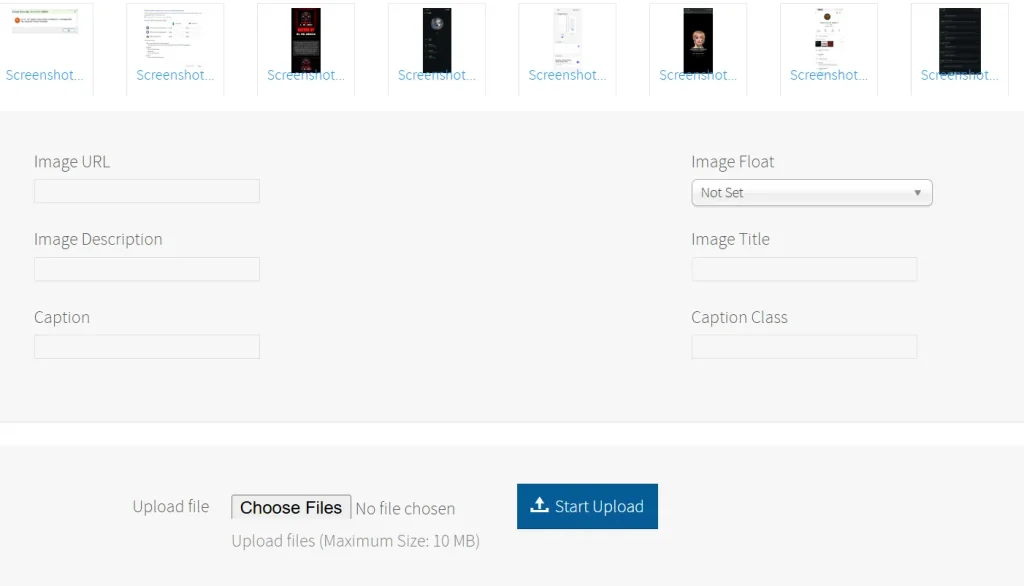
The com_media panel is often exploited to upload images or text files containing defacement nicknames.Historical Context of Known Media Manager Issues
One documented case, tracked as CVE-2013-5576, involved older versions of the media manager. Public records describe it as a vulnerability that could permit unexpected file placement under certain conditions. The important takeaway for administrators is not the precise technical path but the outcome: files that should never have been accepted ended up inside directories such as /images/.
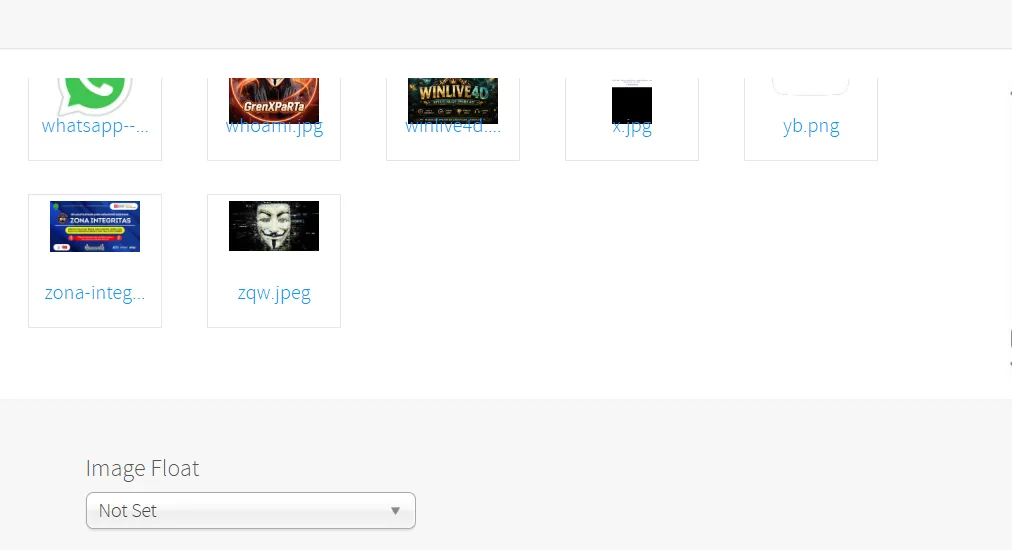
When unexpected text or image files appear in that folder, they often function as simple markers that something unauthorized occurred. Defacement campaigns and reconnaissance activities have historically left such traces. Treating any new or unexplained .txt, .jpg, or .gif file in /images/ as a potential indicator of compromise is therefore a sound operational habit.
Why Unexpected Files Appear in /images/
Attackers who gain limited upload capability frequently place lightweight files for several practical reasons:
- The files are small and blend with legitimate media.
- They can serve as quiet confirmation that the upload path is still open.
- They require minimal privileges compared with more complex payloads.
These markers do not automatically mean the site has been fully compromised, but they warrant immediate investigation. Regular file-integrity monitoring and periodic manual reviews of the images directory help surface such anomalies early.
Practical Steps to Block Script Execution in /images/
The most direct defense is to prevent the web server from executing any script-like content inside the media folders. On Apache-based hosts this is commonly achieved with a carefully written .htaccess file placed in the /images/ directory (and optionally in other upload locations).
Create or edit the file /images/.htaccess and include rules similar to the following:
apache
# Deny execution of scripts
<FilesMatch "\.(phar|php|php3|php4|php5|php56|php6|php7|phtml|shtml|pl|py|jsp|asp|aspx|cgi|sh|txt)$">
    Require all denied
</FilesMatch>

# Optional: force all files to be treated as static content
<IfModule mod_mime.c>
    RemoveHandler .php .phtml .php3 .php4 .php5 .php7 .php56 .phar
    RemoveType .php .phtml .php3 .php4 .php5 .php7 .php56 .phar
</IfModule>

# Restrict HTTP methods if desired
<LimitExcept GET POST HEAD>
    Require all denied
</LimitExcept>
Additional server-level recommendations:
- Confirm that the web server user has write permission only where necessary and never owns the files as root.
- Enable strict MIME-type checking at the application and server levels so that a file claiming to be an image is actually validated as one.
- Consider moving the media directory outside the web root when the hosting environment allows it, then serving files through a controlled proxy or rewrite rule.
- Use Joomla’s built-in ACL and extension permission settings to limit who can upload media.
- Install a reputable security extension that monitors file changes and blocks suspicious uploads in real time.
After applying the .htaccess rules, test by attempting to access a deliberately placed non-image file (from a controlled test environment only). The server should return a 403 or similar denial.
Additional Hardening Measures
- Keep the entire Joomla installation, including all third-party extensions that interact with media, on the latest supported release.
- Review the Global Configuration → Media settings and disable unnecessary front-end uploads.
- Implement Content Security Policy headers that restrict the sources of executable content.
- Schedule regular integrity checks (for example with tools that compare current file hashes against a known-good baseline).
- Monitor access logs for repeated upload attempts or unusual POST requests targeting com_media endpoints.
These steps address both residual historical risks and common modern upload abuse patterns.
FAQ
How can I tell if my Joomla images folder has been targeted?
Look for files that do not match your normal media naming conventions, unexpected text files, or images whose modification dates fall outside known upload activity. File-integrity monitoring tools make this process far more reliable than manual inspection.
Is updating Joomla enough to protect against media-related risks?
Updating removes many known weaknesses, but server-level controls such as .htaccess restrictions and proper file permissions remain necessary. Defense in depth is more effective than relying on any single layer.
What should I do if I find suspicious files in /images/?
Isolate the site if possible, remove or quarantine the unexpected files after taking a forensic copy, review access and error logs, reset credentials, and verify that no other backdoors were introduced. Then apply the hardening measures listed above before returning the site to normal operation.
Keeping a Joomla site secure is an ongoing process rather than a one-time fix. The combination of timely updates, strict directory controls, and continuous monitoring significantly reduces the chance that unauthorized files will appear in the images folder.
For more practical web-security guides and CMS hardening checklists, visit the homepage of Nomatali.